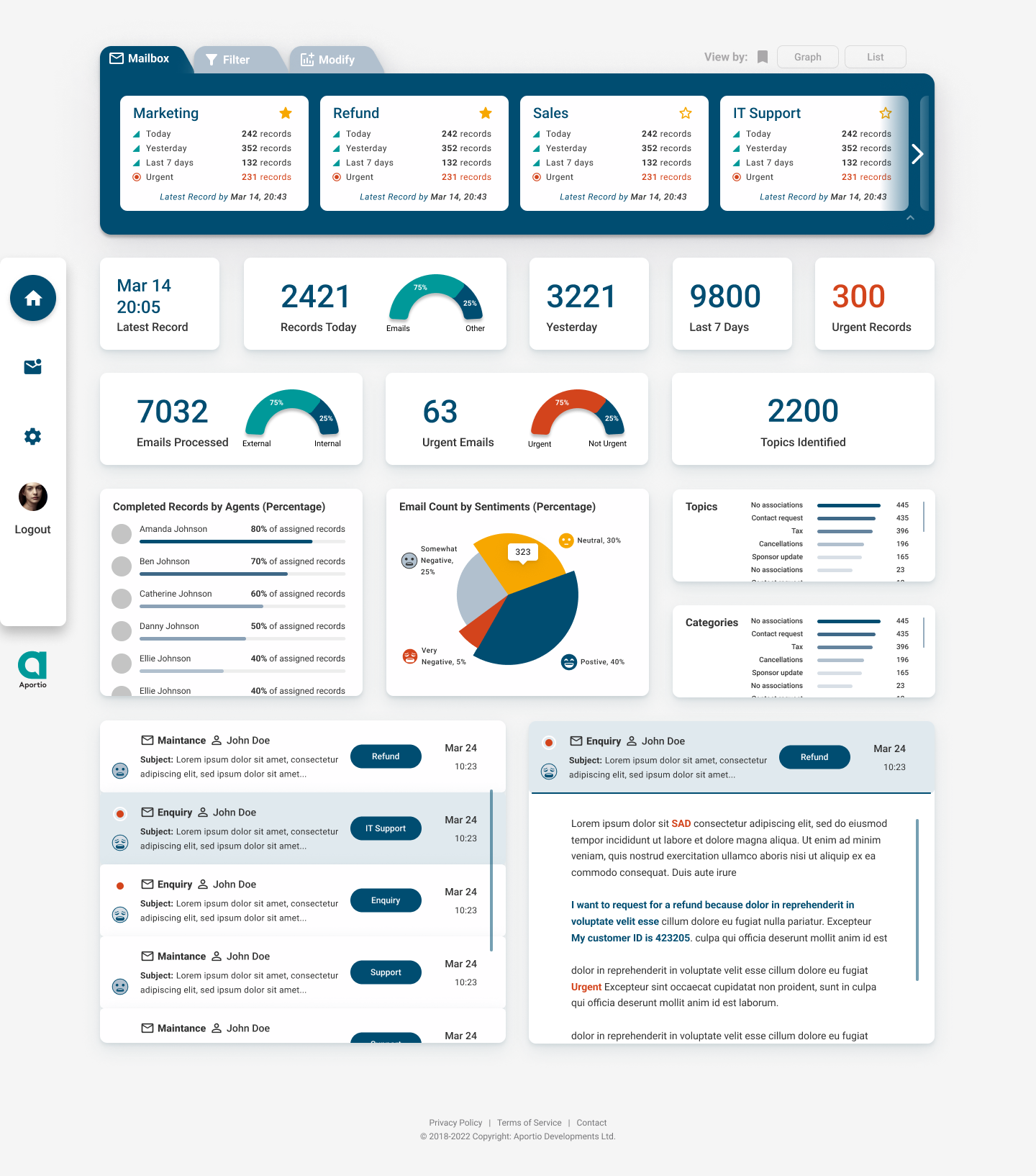

Aportio has been providing AI-powered help desk automation services that help organisations better understand what their customers are asking for, and how they feel.
They have been building products that can satisfy the needs of various stakeholders:
- Email Processing interface for the Customer Service Agents,
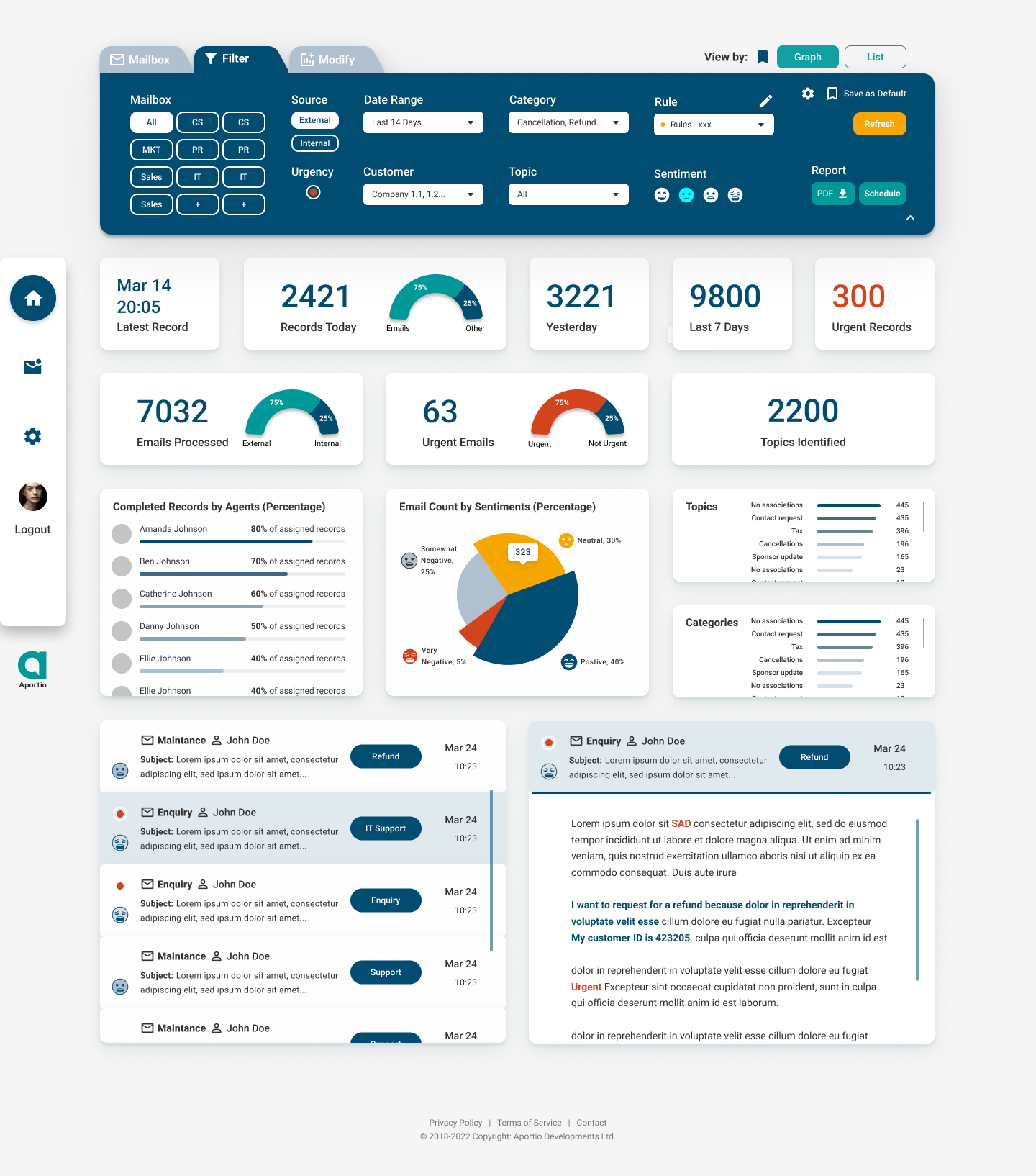
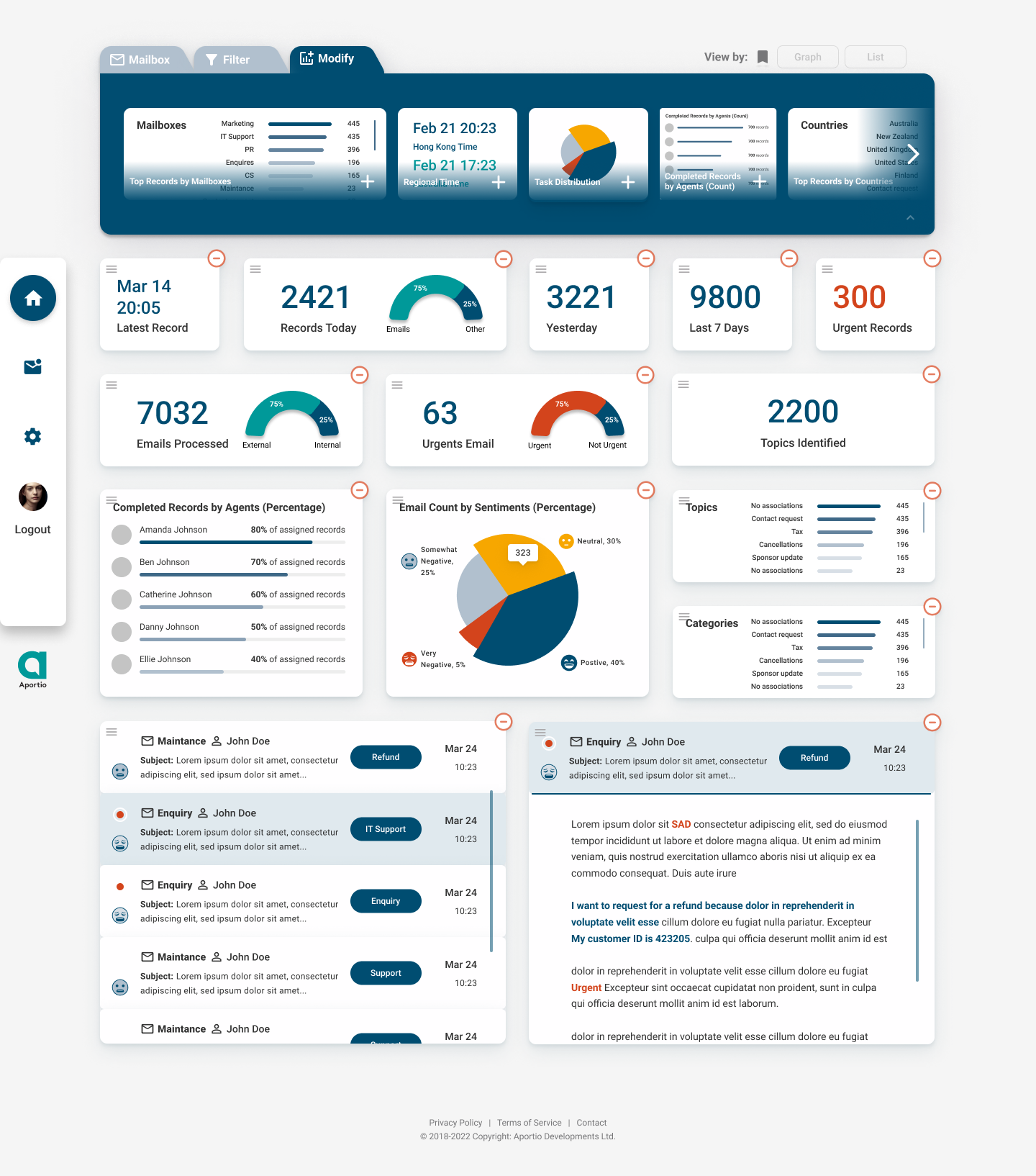
- Data Analytics Dashboard for the Managers,
- Rule Setting Functionality for the System Admins.
Aportio mainly used a no-code approach, limited by using the Appegio system and Google Material Design Principles to build their products. Now, with the increasing competition in the field, Aportio wanted to improve the user experience of their customers and revamp the existing UI. They were open to a complete re-evaluation of existing design and functionality in favour of a better experience.
The purpose of the project was to design a fresh and intuitive UI for the Aportio users through redesign of existing components and addition of new functionality identified during the research.
Project Role:
Project Manager, UX/UI Designer
Client:
Aportio
Team:
5 UX/UI Designers
Duration:
2 weeks (28 Feb 2021- 14 Mar 2021)
Tools:
FigJam, Figma
Skills:
Research, UX/UI Design, Service Design Project Management, Leadership
It has been my first UX project, where I was managing and leading the team of UX designers. I was serving as one of the two team leads for the group of five designers. Throughout the project, I managed the daily stand ups planning, workshops facilitation, research board organisation and provided support to tasks on backlog, ensuring that we timely progress forward.
Additionally, during research phase, I was responsible for industry analysis, interview insights generation, affinity map organisation, as well as facilitated our group during setting up the service blueprint. After we progressed to design stage, to help the team with making UI consistent, I organised the design system with respective components, as well as designed hi-fidelity wireframes for agent UI. Finally, I contributed to agent UI refinement after usability tests, and documented future validation metrics and methods for our client to refer to after the project end.

Aportio enables you to understand customers even better. Identify service trends, issues and improvement opportunities using our dashboard.

Whatever industry you're in, launch your own rules to manage and resolve conversations automatically.
Eliminate mundane tasks, correctly & consistently log emails, for faster resolution and reduced average handling time.

Industry research showed that there is a 143% projected growth rate of AI use by the service organisations. Growing importance is put on understanding customer behaviour and their preferences to deliver the best service performance in real-time. The email, phone, and in-person channels are still majorly used by service organisations, but the use of social media channels is projected with higher growth. The large CRM CEC vendors, like Salesforce are still taking the leading positions within the space.

The following insights were prioritised:
- Understand the customer behaviour in real-time and anticipate their needs.
- Single dashboard for all inboxes with the option to drill down.
- Provide users with the ability to create their own knowledge base to help reduce agent volume.
- To understand the general user’s flow and identify fundamental functionalities, existing frictions, potential new features.
- To set the direction for the development of MVPs.
Tasks:
Interviewees were asked to perform a number of actions on the current Aportio system, with follow up questions.
Total sessions:
4
Interviewees:
3 Managers/Admin,
2 CS Agents
After the user interviews, I invited the whole team to contribute to affinity mapping, in order to ensure that everyone is on the same page and together we can set the solution directions, based on our findings. View details on FigJam.

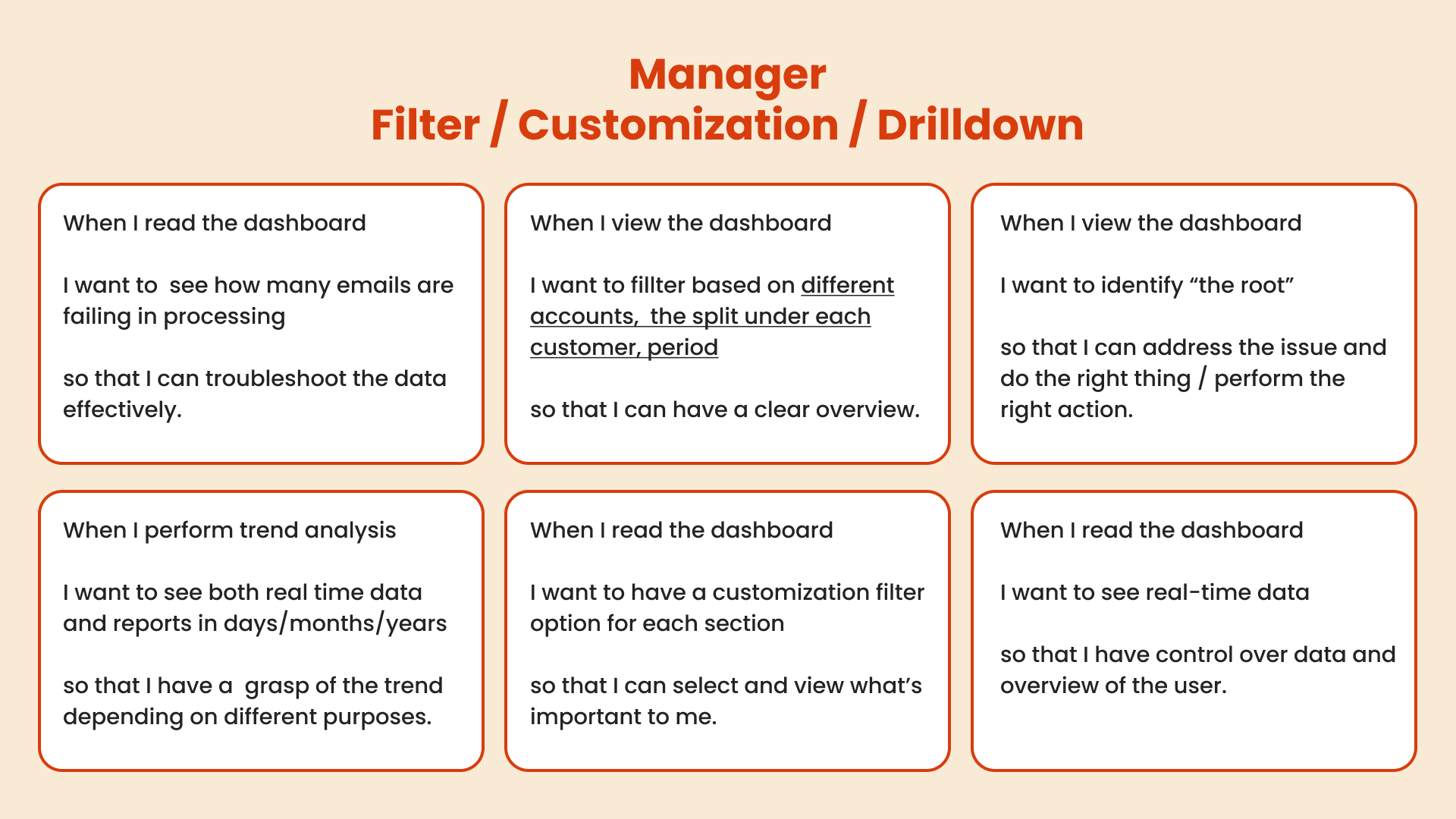
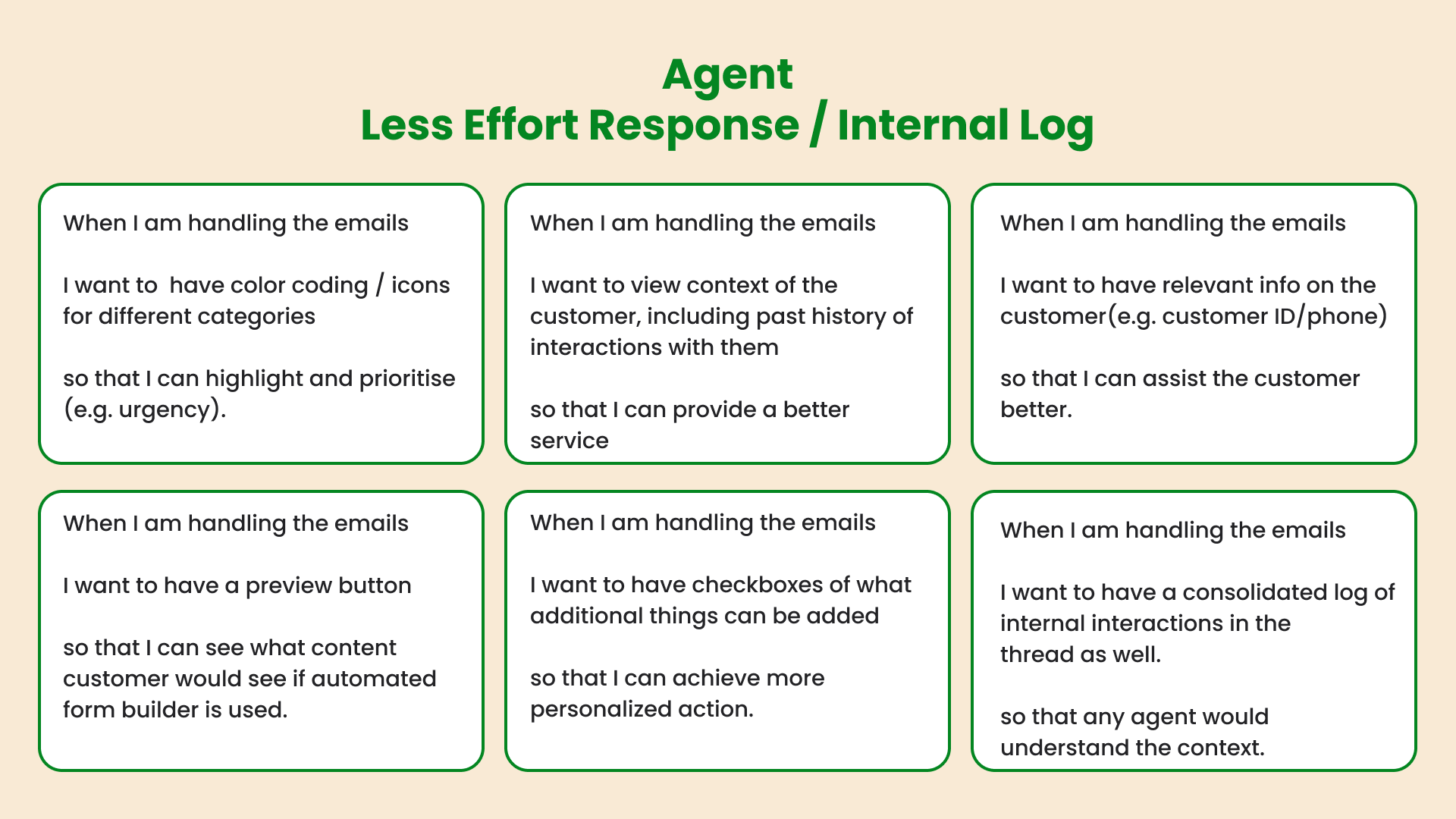
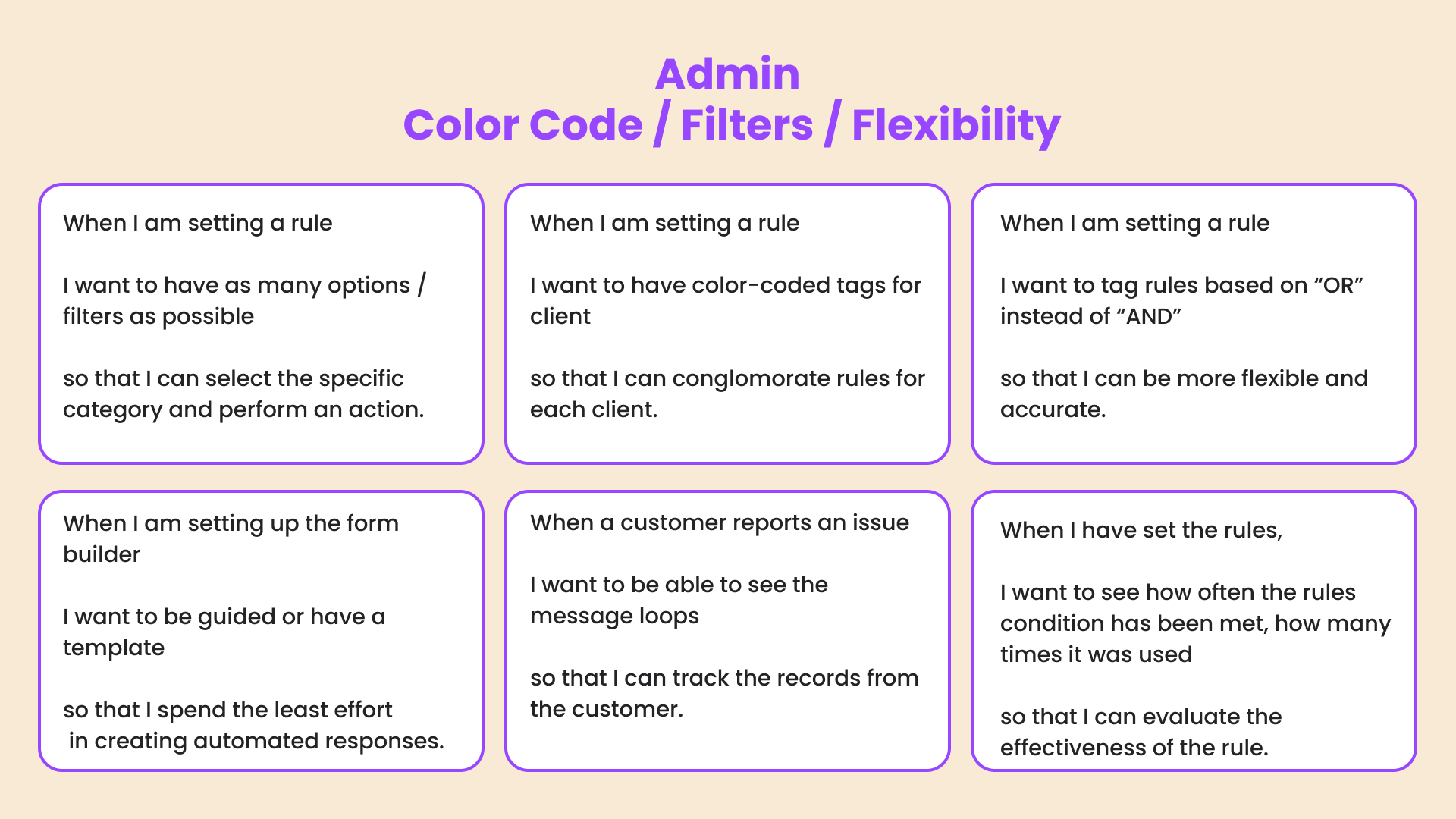
To represent comprehensive list of user needs and expected outcomes, we utilised the JTBD framework. View details on FigJam. We used JTBD to evaluate the match between user need and wireframe versions in a form of the workshop with a client.
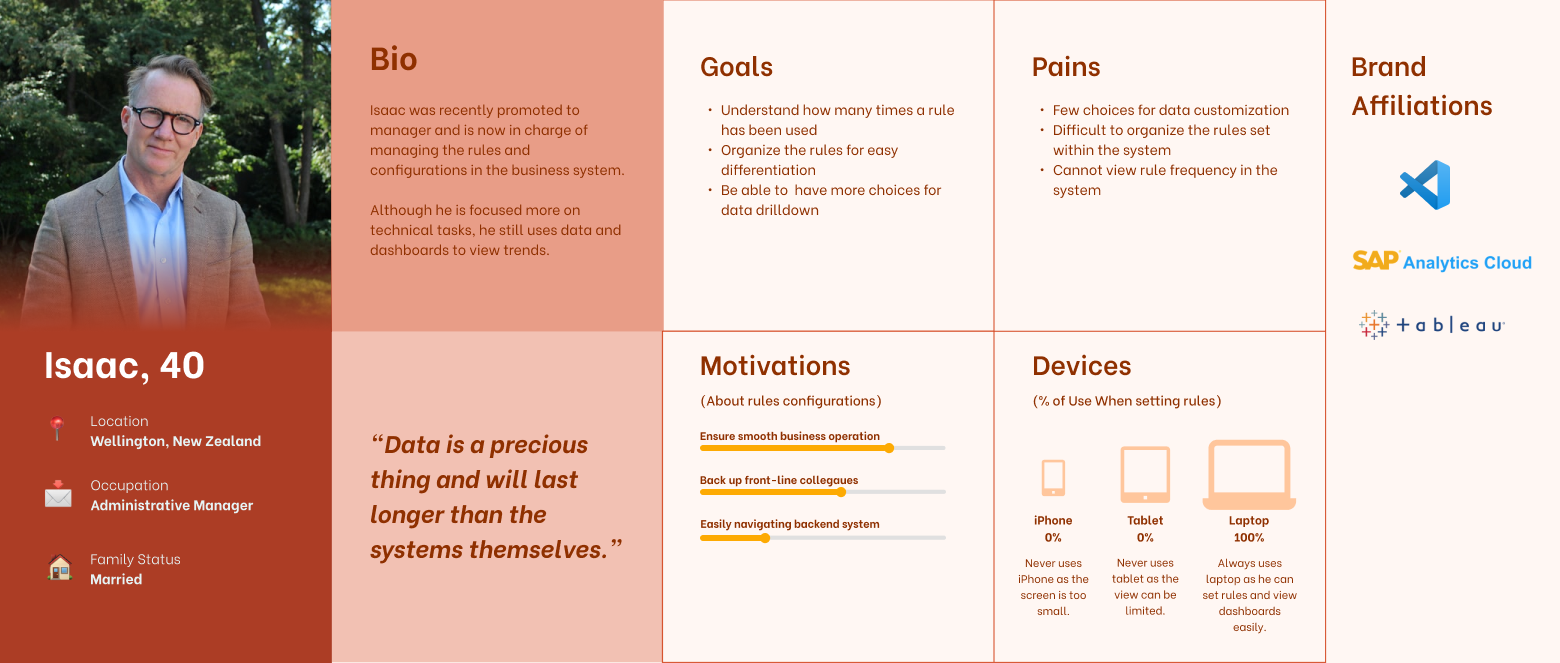
After conducting user interviews, we had enough data to start crafting our end-user personas. These personas were referenced throughout the redesign in order to guide our design decisions moving forward.


To visualise relationship between different service components, the service blueprint was constructed.

Quick insights:
identify what’s failing in their service
Customisation:
filter options to select data that meets certain criteria
Drilldown:
track specific task / service desk
Flexibility:
customisation in rule setting
Convenience & Efficiency:
color coding, filters
Self-driven progression and enhancements:
evaluation/ assessment of rules
Personalisation and Accuracy:
checkboxes in reply box
Ability to track:
customer info details & internal log
Efficiency:
form builder & automated response templates

To ensure consistent visual design, I contributed to developing design system. All team members utilised this as a style guide.

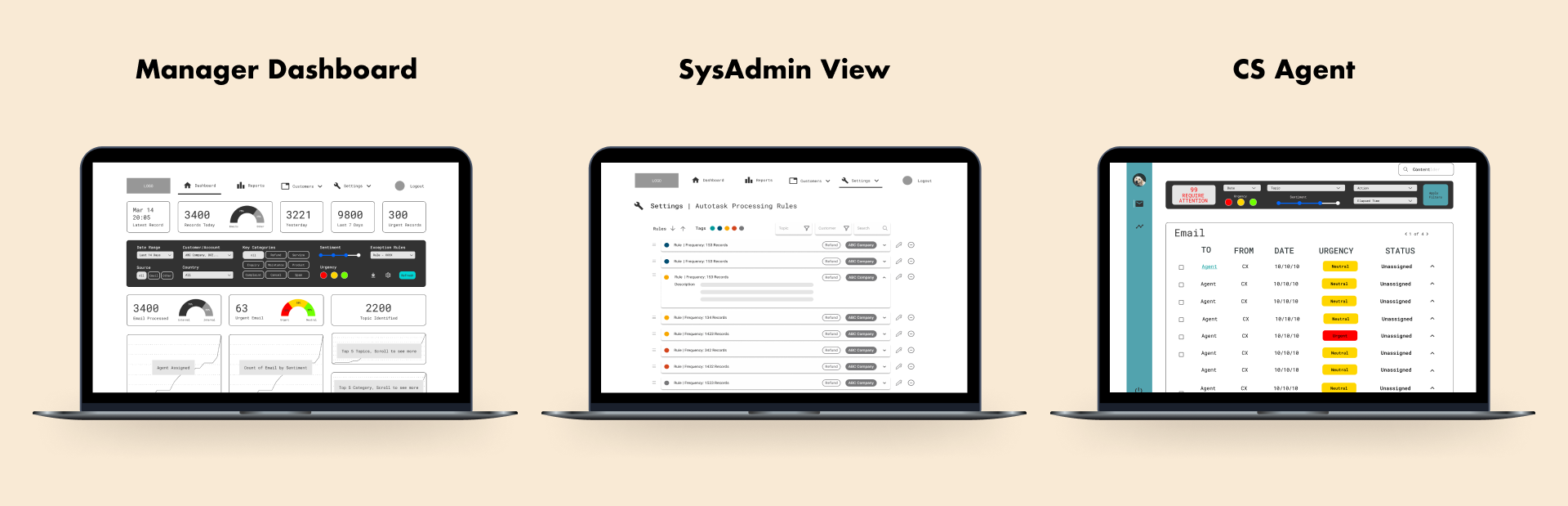
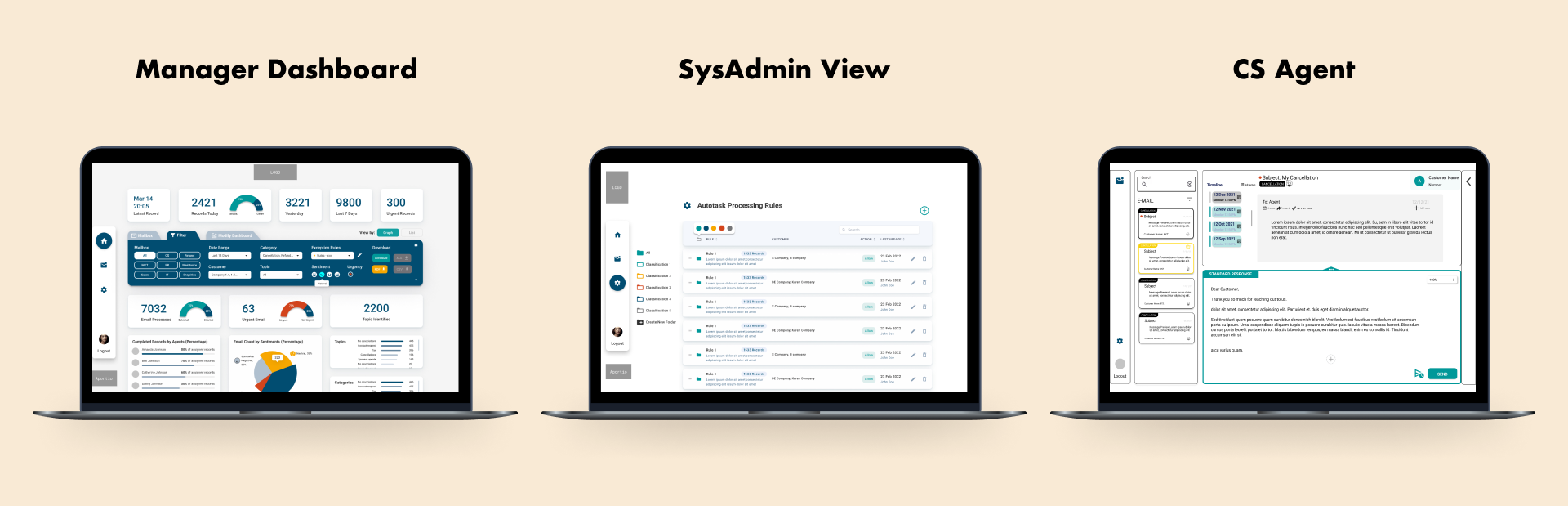
We actively engaged with stakeholders to produce several MVP iterations before presenting the final design. Below are the example screens that showcase the evolution of our screens.

- To compare general impressions of the new UI to existing UI
- To evaluate the effectiveness and functionality of new features
- To discover potentials to enhance the MVP
Tasks:
Interviewees are asked to perform a number of actions on the updated UI, with follow up questions
Total sessions:
6
Interviewees:
5 Managers/Admin,
3 CS Agents
Manager & System Admin
- New buttons to be added on filters tab
- Priority: Urgency > External/Internal conversation records > Sentiment.
CS Agent
Enhance functionalities and automated next actions suggestions
- Visual hierarchy: Positioning of main actions buttons
- Familiarity: Common mailbox layout and functions
- Make folder section permanent: Drag and drop emails into the folders
In the beginning of the project, we communicated with Appegio founder - the company that develops front-end for Aportio and agreed on full freedom for design solution.
1. To further validate the new UI in terms of functionality, usability, and design.
2. To identify if any further interventions should be made.
3. To understand users’ feedback on the major upgrades of the new UI.
4. To validate technical feasibility of the new UI.
5. To identify the impact of the new UI on the business performance of Aportio
- task success rate
- completion time
- error rate
- subjective satisfaction
Replace manual rule setting
- Can AI detect and generate rules automatically to improve the system service?
Single processing of emails
- Can Aportio be the single source of communication channel for the customer; in order to synthesise all incoming mails/ requests based on the system metrics?
Minimise manpower
- What are the actions that only human agents can perform whilst AI cannot?
Within just two weeks, we were able to go through four rounds of MVP iterations. Through this approach we were able to rapidly create and test ideas, continuously improving on our product. Our team have learned to quickly abandon ideas that don't work, dumping wireframes that weren't benefiting the user, and going through the process forward with new insights we have got from users. I also learned that iterative approach, greatly helped to provide visibility of progress to the stakeholders and establishing clarity early in the cycle.
I learned that iterative process effectively sets us on the journey of discovery, where we learn from users on each step, rather that fall in love with the first idea or wireframe.
Having no prior knowledge of client service industry, empathy was the guiding tool to understanding user frustrations, motivations, feelings and deciphering why users use the product. Additionally, I want to reflect on importance of empathy in leading the team. Our design team consisted of bootcamp students, coming from different backgrounds and being on different stages of UX/UI expertise. As a team lead, I aimed to consider every member's desire to gain valuable experience through the project. In this role, I observed that different members require different leadership approaches to motivate them. For example, some members were excited to get freedom in being responsible for their parts, while others needed more guidance and direction.
Hence, I realised that empathy is the key to UX design, not only because it is important for understanding users' needs but it helps to find the right ways of supporting your team members, motivating them, and driving the project forward.
Designed and made with Webflow
by Kamila in 2022 ❤️.